How to Grow Your YouTube Channel Fast, Step by Step
How to grow a YouTube channel fast takes better clicks, retention, search, Shorts, and consistency, plus growth timelines and monetization thresholds.


Chapters
In short
Growing a YouTube channel fast means attracting the right viewers and giving them reasons to click, keep watching, and return. Focus on useful video ideas, clear titles and thumbnails, strong openings, relevant keywords, consistent uploads, and engaging with your audience; use Shorts for discovery and longer videos when a topic needs depth. Track retention and clicks to find what needs improvement, since steady, viewer-focused gains matter more than viral shortcuts or expensive equipment.
Think about the last video that made you stop scrolling. Maybe the thumbnail caught your eye, or the first few seconds kept you there. Every video on your channel has to earn the click, then earn the next minute of watch time.
Growing fast comes down to a few levers: packaging, retention, search, Shorts, and consistency.
We’ll cover each one with realistic timelines and monetization thresholds, then show you how to fix the lighting, audio, and on-camera setup so viewers stick around.
Grow Your YouTube Channel Fast with Retention
Growth comes down to two questions: who sees your videos, and do they stick around? Expect months of steady uploads before the numbers climb, not one lucky week.
How YouTube decides what to recommend
Recommendations drive most of the watch time on YouTube, which makes them your biggest door in. According to a systematic review of YouTube recommendations, the system personalizes what each viewer sees using their search and watch histories.
Ranking is built around the viewer rather than the uploader, weighing three things:
- Relevance: does the video match what this person searches for or watches?
- Engagement: do viewers click, watch, and interact once it plays?
- Quality: does the video deliver on its title and thumbnail?
Browse features and the homepage add a second route for viewers who aren’t searching at all.
Keeping viewers watching longer
Clicks get viewers in the door, but retention (how much of a video people actually watch) decides whether YouTube keeps showing it. High retention is rewarded, so the goal is to keep people on your channel, not just win the click.
Think of a home cook filming weeknight dinners who ends each video by pointing to a related recipe. The viewer who finished her pasta clip is already queued up for the next one. Same viewer, twice the watch time.
Use cards (small links that pop up mid-video) and end screens (clickable elements in the final seconds) to send people onward:
- Link to the next video. Point each one at the video that naturally follows.
- Keep endings short. A long goodbye can push viewers out before your end screen appears.
Picking Video Ideas That Work
Growth starts with the idea, not the camera. Here’s how to find topics that earn clicks and stretch what you’ve already made.
Strong ideas and trends to follow
- Idea matters most. Aim for specific over catchy: ‘Lighting a Podcast Booth With No Window’ beats ‘My Studio Journey.’
- Tap trending topics. Make a useful take on what your niche is searching for this week.
- Twist a trend. Put your own angle on a popular format, like a room tour shot with gear you own.
- Myth busting and challenges. Test a common belief on camera, like whether a ring light fixes a dim room.
- Value pillars framework. Pick three or four recurring themes so every upload fits a clear category.
Video formats that draw viewers
- Educational and explainers. Answer one question clearly, like ‘Why does my face look flat on camera?’
- Tutorials and reviews. Walk viewers through a process step by step, or test a product against its claims.
- Product demos. Show gear working in a real room, not a studio, focusing on setup and fit.
- Storytelling. Share the mistake and the fix. A wedding videographer who explains one missed shot keeps viewers watching.
- Behind-the-scenes and interviews. Show the real process, or bring in a guest for a fresh voice.
Turning old content into new videos
- Content audit. List every upload and note which ones earned the most views, watch time, or comments.
- Reuse podcasts and webinars. A podcaster’s 90-minute episode can yield three clips, each with its own title.
- Edit interviews and Q&As. Trim a guest conversation into focused clips, one question per video.
- Revive old videos. Re-film the intro or update the title on an upload that still gets views. Your back catalog is a head start.
Getting More Clicks on Titles and Thumbnails
Your title and thumbnail decide whether anyone clicks at all. Here’s how to earn that click without overpromising.
Writing titles people want to click
Start with the keyword your viewers actually type, like “podcast lighting,” and place it near the front. Add a curiosity gap, a hint that the video answers something viewers want to know.
Make the promise specific and urgent, like “before your next recording,” and keep the wording conversational. Capitalize one or two words for emphasis, not every word. Clarity beats cleverness.
Consider a home podcaster whose video is called “Lighting Tips.” Retitled “Podcast Lighting: Why Your Face Looks Dark on Video,” it speaks straight to a frustrated viewer.

Making thumbnails that stand out
Your thumbnail sits small beside your title, so a dim face turns to mush at phone size.
- Legible when tiny. Keep text to two or three bold words.
- Faces evoke emotion. A tight shot with a clear expression gives viewers something to connect with.
- Complement the title. Let the image add to the title rather than repeat it.
- A/B testing (comparing two versions to see which gets more clicks). Change one thing at a time so you know what made the difference.
- Thumbnail Analyzer. Use one for a second opinion, then trust your own phone-size check.
Hooking viewers and packaging each video
A great idea still needs strong packaging: the title, thumbnail, and opening working together. Open with the payoff in the first 20 to 30 seconds so viewers know they’re in the right place. Getting your youtube thumbnail size right before upload is part of that packaging.
A real estate agent filming a listing tour might name the home’s best feature right away, in bright, even light.
Keep your metadata (the title, description, and tags) honest too, since a misled viewer is less likely to stay. Promise what the video delivers, not how shocking the title sounds.
Finding Search Keywords for Your Videos
Before you hit record, find out what people are actually typing. Here’s how to find those phrases, where to place them, and how to earn search results.
Tools for finding the right keywords
Keyword tools show what viewers type, not what you assume they want:
- TubeBuddy Keyword Explorer suggests phrases for YouTube.
- Ahrefs, Semrush, and Ubersuggest cover search across the whole web.
- Competition and optimization scores estimate how crowded a phrase is and how strong the top results are.
- Google Trends shows whether interest in a topic is rising or fading.
Long-tail keywords are longer, more specific phrases, so there’s less competition to beat. A home-office host might find ‘window light for video calls’ describes her video far better than ‘lighting’ does.
Adding keywords to titles and descriptions
Put your phrase where search reads first:
- Keywords in the title, description, and tags: Use your phrase in all three.
- One topic per video: Three questions in one video muddy the signal.
- Your niche in the title: Add ‘for podcasters’ or ‘for streamers’ so the right viewer clicks.
- Update old metadata: Go back and tighten older titles and descriptions, not just new uploads.
- Keywords in captions: Captions give search more text, so fix errors in auto-generated ones.
Showing up in Google search results
Videos can appear in Google’s video results, and timestamps in your description can become key moments that surface there too.
Embed your videos on the pages where they belong. A course creator who embeds her lighting lesson on her sales page lets the video do its selling right there.
Google’s artificial intelligence (AI) Overviews, short summaries above regular results, can include a carousel of videos. Clear titles and accurate captions give yours a better shot. Start with the phrase.
Choosing Formats and Video Length
The format you pick decides who finds you and how long they stay.
Using YouTube Shorts to get discovered
YouTube Shorts are for discovery more than depth.
- High discoverability. Shorts reach people who don’t subscribe yet.
- Viral potential. A clip can reach far beyond your audience, but don’t plan on it.
- Flood method. Post several Shorts that each point to a longer video, like a podcaster’s 40-second clip leading to the full episode.
- Entertaining short-form. Open with your most interesting moment.
- Shorts per week. Pick a pace you can keep up.
What is the 8 minute rule on YouTube?
The 8 minute rule means videos eight minutes or longer can carry mid-roll ads, the breaks that play inside a video.
As Digiday explains, big publishers welcomed the lower threshold, which spared them from stretching videos for ad revenue. Let the idea set the length.
- Shorter videos engage more. According to The Measure, short-form can engage viewers more than long-form.
- Long-form for detail. A real estate agent’s listing tour needs the minutes to show every room.
- Mid-roll ad length. Eight minutes is the floor, down from 10, as Tubefilter reported.
- Mix durations. Use Shorts to get noticed, then longer videos to go deeper.

Putting YouTube’s AI tools to work
Artificial intelligence (AI) tools speed up brainstorming. Use them to suggest ideas, then rely on your judgment to choose.
- Conversational Ask tool. Ask in plain language, the way you’d ask a colleague.
- Inspiration feature. Scan it for niche topic ideas.
- Veo and Dream Track. Test these creative tools on a short clip first.
- ChatGPT prompting for ideas. Give it your niche and audience, and a chess coach might get lesson ideas to test.
Shaping How Your Channel Looks and Feels
Viewers judge your channel before they subscribe. Shape its look, your face, and your sound.
Keeping your channel look consistent
Your channel look and feel is what stays the same across every video:
- colors
- fonts
- banner
- thumbnails
Aim for a look that repeats, not one that’s flawless every time.
Match your custom URL (your channel’s web address, short for uniform resource locator) and bio to the name you use everywhere else. Mismatched names make people hunt for you.
Professional means intentional, not expensive. Picture a course creator who films every lesson against the same tidy bookshelf.
Showing your face and personality
Put your face on camera, even if it’s only for the intro. Viewers want to know who’s behind the channel.
People connect with people. A streamer who laughs off a missed shot and greets chat by name gives viewers a reason to return.
Authenticity is less about who you pretend to be and more about how you show up. Talk the way you would to a friend.
Getting lighting, audio and editing right
All three are within reach on a small budget:
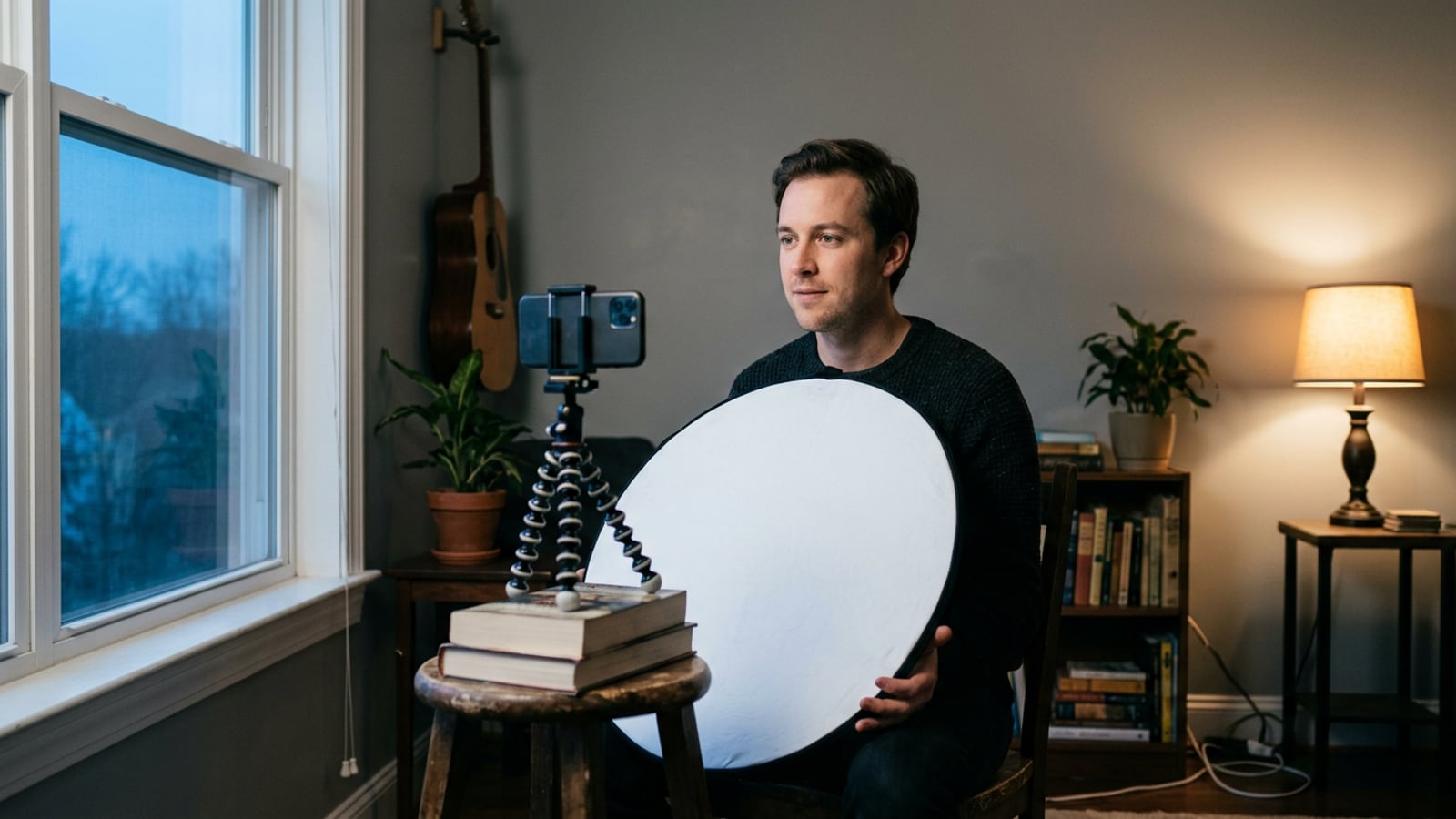
- Lighting: face a lamp or window, not the one behind you.
- Audio: a cheap mic close to your mouth usually beats a built-in one.
- Editing: trim dead air so the pace stays brisk.
Aim for easy to watch, not perfect. Viewers forgive a soft shot, but they click away from a face in shadow.
Budget tools like Canva handle thumbnails and title cards without a designer.
Fix lighting before you upgrade your camera. Think of a streamer whose new camera made her face look flat. Moving her desk lamp to the side of her face fixed it. The light did the work. Before you spend on new gear, look at the full cost to start a YouTube channel.
Posting on a Schedule You Can Keep
A schedule you can keep beats a burst of uploads you can’t sustain. Here’s how to set one and time it well.
How often to post and plan ahead
Consistency is what viewers come to rely on, so pick a rate you can hold for months. Picture a home-office coach who films one 15-minute lesson every Tuesday.
She keeps her light in the same spot, so each lesson looks like the last and takes minutes to start.
A manageable schedule beats an ambitious one that collapses by week three. Count your real evenings and how long editing takes, then build around that.
A content calendar is just a list of what you’ll film and when it goes live. Plan a few weeks ahead so a busy Monday doesn’t leave you hunting for an idea.
Your quantity vs. quality stage decides where to put your effort:
- Early stage: aim for more uploads so you learn faster.
- Later stage: aim for better uploads, and hold back any video that isn’t ready.
Picking the best times to upload
Start with the audience activity heat map in your analytics. Your own audience beats any generic ‘best time to post’ chart.
Say a podcast host sees her viewers peak on weeknights after dinner. She books uploads for 7 p.m., when more of her regulars are around to watch.
Once you find a window, post at the same time each week. The same slot every week beats a perfect slot you can’t repeat.
Tell people when to return. Put the day and time in your channel description and at the end of each video. Then show up on time.
Turning Viewers into an Engaged Community
Subscribers come from viewers who feel connected to you, a connection built in the comments and live moments.
Talking with viewers in the comments
Four habits matter most:
- Reply to comments. A reply tells the next viewer a real person is listening.
- Ask questions. Give people something easy to answer.
- Pin a comment asking what to cover next, so the best ideas stay on top.
- Automate replies. Saved thank-yous handle volume; keep real questions personal.
A podcaster pins a comment asking which guest listeners want next and gets three future episodes from the replies.
How do you get 1000 subscribers fast?
There’s no shortcut, but these habits speed the climb. Ask directly, and give viewers a reason, not just a request. Put a clickable subscribe prompt near the start and end of each video.
Never buy subscribers. Fake accounts don’t watch, comment, or share, so they add a number without an audience.
Your first 1,000 usually come from steady videos people finish and want more of. Consistency wins.
Can you get 100 subs in a day? It’s possible but rare, usually when one video catches fire. You can’t schedule that, so treat a breakout day as a bonus.
Running giveaways and live streams
Keep giveaway rules simple: one entry step and a set end date. Pick targeted prizes your audience actually wants.
A portrait photographer’s headshot giveaway asks entrants for their biggest posing question, then answers it on air.
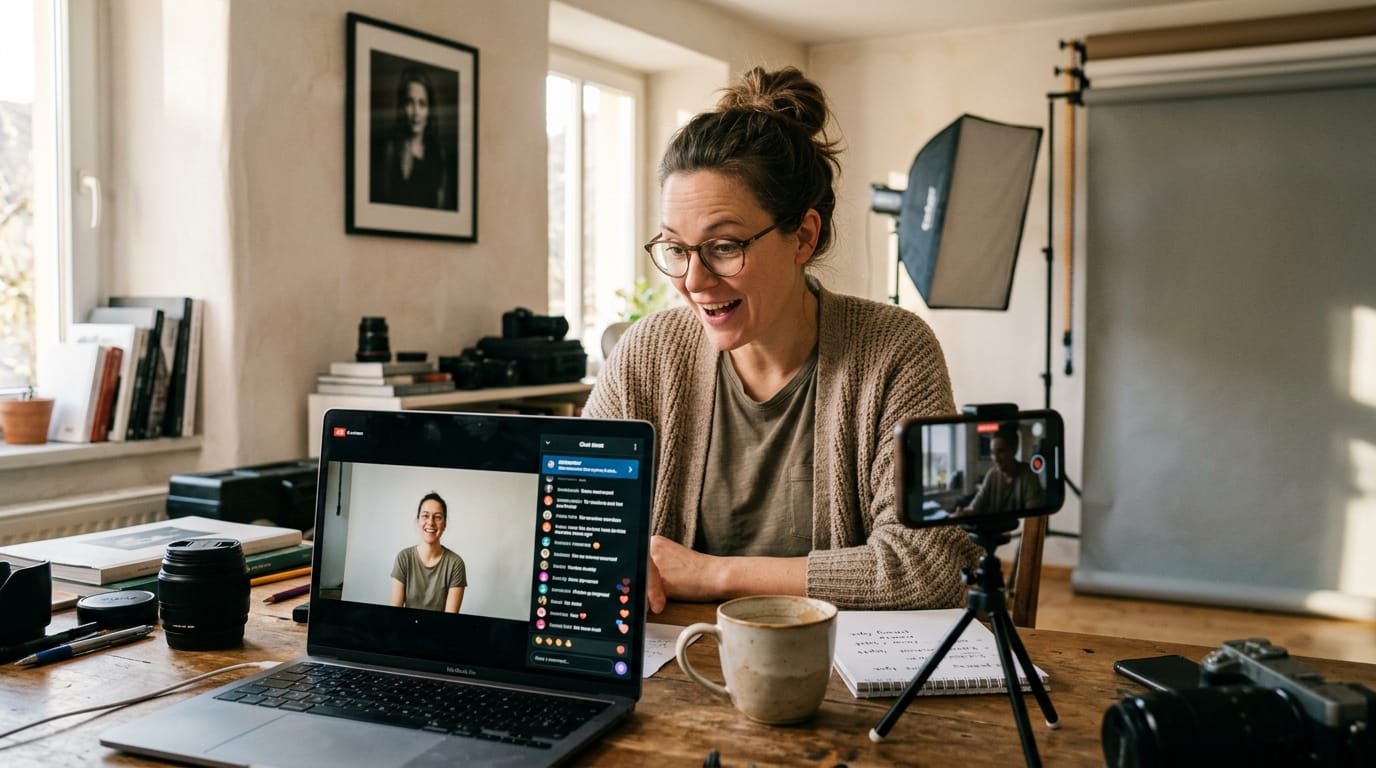
In streams, live chat is your room, so answer questions as they land. The goal is a crowd that responds, not one that just watches. Use a trending live topic from your niche to match what people are discussing.
Spreading the Word and Teaming Up
Great videos don’t grow a channel alone. Getting them in front of new viewers takes a little planning.
Sharing clips across social platforms
Each platform rewards different posts, so we’d tailor clips rather than copying one everywhere:
- Instagram: short vertical clips with a strong opening
- TikTok: fast, casual cuts that feel native to the app
- LinkedIn: a clip paired with a takeaway for a professional crowd
Standalone clips work solo, while teasers end on a question and point to the full video. A wedding videographer might post a first-dance clip, then link to the full reel.
Embed videos in relevant blog posts.
Posting one clip everywhere, over and over, makes viewers tune out. Share with purpose, not volume.
Working with creators in your niche
Creators who serve your audience can open doors to viewers you’d never reach alone. Look for niche partners whose audience overlaps with yours without competing directly.
A home-office coach and a productivity YouTuber, for example, reach the same people in different ways.
Complementary skills help too: a streamer strong on gameplay might team up with an editor who makes polished highlights. Cross-promotion means featuring each other’s videos. Agree on the plan first, from what you’ll make to when it goes live.
Sending viewers back to older videos
Your newest video is the best place to recommend an older one.
- End screens: clickable tiles near the end linking to a related video
- Info cards: small pop-ups timed to when you mention an older one
- Description links: older video links near the top of the description
A home-office coach might mention her lighting video mid-clip, add an info card right then, and link it at the top of her description. Make the next click obvious.
Using Analytics to Keep Improving
Your analytics show what viewers actually do, so you can stop guessing.
Which numbers to watch closely
Start with these five:
- Watch time and retention: how long people stay and where they leave.
- Click-through rate (CTR): the share of viewers who click your thumbnail.
- Subscriber growth: how many new subscribers each video brings in.
- Traffic sources: whether viewers come from search, suggestions, or Shorts.
- Demographics: who your viewers are.
A home-office podcaster sees retention drop right after her intro. Scrubbing back, she spots her face sliding into shadow. Moving her desk toward the window should fix it, and the retention graph shows whether it worked.
Testing changes and setting view goals
Match each number to a goal, then read viewer feedback, try new formats like Shorts or longer tutorials, and change titles and thumbnails one at a time to see what worked.
Set view targets per video. Is 2,000 views a day good? It depends on what those views do. If viewers stay for a solid share of each video and subscribers follow, that’s a strong day. If they click away in seconds, a big total hides a weak one.
Aim for how long people stay, not just how many arrive.
The money side starts with Revenue Per Mille (RPM), which YouTube’s help docs define as how much you’ve earned per 1,000 video views. For $1,000 a month, divide $1,000 by your RPM, then multiply by 1,000 for the monthly views you need.
According to YouTube’s own blog, joining the YouTube Partner Program (YPP) requires meeting eligibility criteria, including qualified watch hours for long-form videos or qualified views for Shorts.
Growing a channel fast rarely comes down to one trick. It comes from packaging that earns the click, retention that keeps people watching, and a steady schedule that gives your audience a reason to come back. Your setup belongs on that list too.
When your face is well lit and your voice is clear, viewers focus on what you’re saying instead of what’s distracting them.
Pick the lever that’s weakest for your channel right now and fix it first, then move to the next one. Small, consistent gains compound over time. Viewers will forgive a modest budget long before they forgive being hard to see or hard to hear.
References
- Systematic review: YouTube recommendations and problematic content — pmc.ncbi.nlm.nih.gov (2022)
- Understand ad revenue analytics — support.google.com
- What counts as qualified watch hours and views for YouTube monetization — blog.youtube (2026)
- The Short Report: Short-Form Video Finding Greater Favor With Viewers — themeasure.net
- YouTube Lowering Minimum Video Length For Mid-Roll Ads From 10 To 8 Minutes — tubefilter.com
- YouTube’s lowered mid-roll ad requirement may lead to shorter videos from publishers — digiday.com
Questions
What is the 8 minute rule on YouTube?
The 8-minute rule means videos that are at least eight minutes long can include mid-roll ads, which play during the video. Eight minutes is the minimum, but the video should be as long as the subject needs rather than padded for ads.
How do you get 1000 subscribers on YouTube fast?
There is no guaranteed shortcut to 1,000 subscribers. Publish consistently useful videos, give viewers a clear reason to subscribe, and place a subscribe prompt in your videos; avoid buying subscribers because fake accounts do not build an engaged audience.
How to get 100 subs in 1 day?
Getting 100 subscribers in one day is possible, but uncommon and usually happens when a video suddenly takes off. You cannot reliably schedule a breakout, so focus on making videos viewers want to finish and watch again.
How many YouTube views do I need to make $10,000 a month?
There is no fixed view count because earnings vary with your RPM, the amount earned per 1,000 views. To estimate, divide $10,000 by your RPM and multiply the result by 1,000; for example, at a $5 RPM, you would need about 2 million views in a month. Actual revenue can also depend on monetization eligibility and which views generate revenue.
How to gain subscribers on YouTube faster?
Choose specific topics your audience is searching for, use clear titles and thumbnails, and deliver on the promise quickly so viewers keep watching. Post on a sustainable schedule, engage with comments, and use Shorts, end screens, and related videos to help viewers discover more of your content.
Does YouTube pay 3$ for 1000 views?
Not necessarily. YouTube earnings vary by RPM, audience, content, and other factors, so $3 per 1,000 views is not a guaranteed rate; RPM measures earnings per 1,000 video views.
Is 2000 views in 1 day good?
It can be a good day, especially if viewers watch a substantial portion of the video and some subscribe. The view count alone does not show whether the video is holding viewers’ attention or helping your channel grow.
Sources
- Systematic review: YouTube recommendations and problematic content - PMC, pmc.ncbi.nlm.nih.gov,
- The Short Report: Short-Form Video Finding Greater Favor With Viewers, themeasure.net
- YouTube Lowering Minimum Video Length For Mid-Roll Ads From 10 To 8 Minutes - Tubefilter, tubefilter.com
- YouTube’s lowered mid-roll ad requirement may lead to shorter videos from publishers - Digiday, digiday.com
- Understand ad revenue analytics - YouTube Help, support.google.com
- What counts as qualified watch hours and views for YouTube monetization, blog.youtube,