How much does it cost to start a YouTube channel?
What a channel filmed at home costs: what’s free, what to buy first, and what $100, $300 and $800 buy when the light comes before the camera.
Chapters
In short
Starting a YouTube channel can cost nothing: the channel is free, and a phone beside a window with free editing software makes a watchable video. Money buys consistency, spent in order: light first (about $100), then a mic (about $300 all in), then a key light in a softbox and a back light (about $800), with the camera last.
Starting a YouTube channel can cost nothing. The channel is free, the phone you own is a capable camera beside a window, and the editing software a beginner needs is free too. Money buys consistency: spent in order (light first, then a mic, then a stronger key light), about $100, $300 or $800 buys a setup that looks and sounds the same on a gray evening as on a bright morning. The camera comes last.
The kits below are for a desk with a window beside you, the Light Planner’s plan for that desk. Prices are from our Kit page on October 27, 2026; “about” marks a type of kit the Kit page doesn’t carry yet, priced as the planner prices it. Each budget is a total, listed in the order to buy.
The short answer
| Budget | The light | The sound | The camera | Total |
|---|---|---|---|---|
| $0 | The window, a white sheet for fill | The phone, in a soft room | The phone | $0 |
| $100 | The window, a reflector, a curtain, a small LED panel | The phone, in a soft room | The phone | About $100 |
| $300 | The window, the reflector, a desk key light | A clip-on wireless mic | The phone | $279 to $299 |
| $800 | A key in a softbox, the desk light as fill, a back light | The clip-on wireless mic | The phone | $735 to $755 |
What it costs to start with what you own
Opening a channel costs nothing: sign in with a Google Account and create a channel from YouTube’s settings. The first setup costs nothing either, if the house has a window you can sit beside.
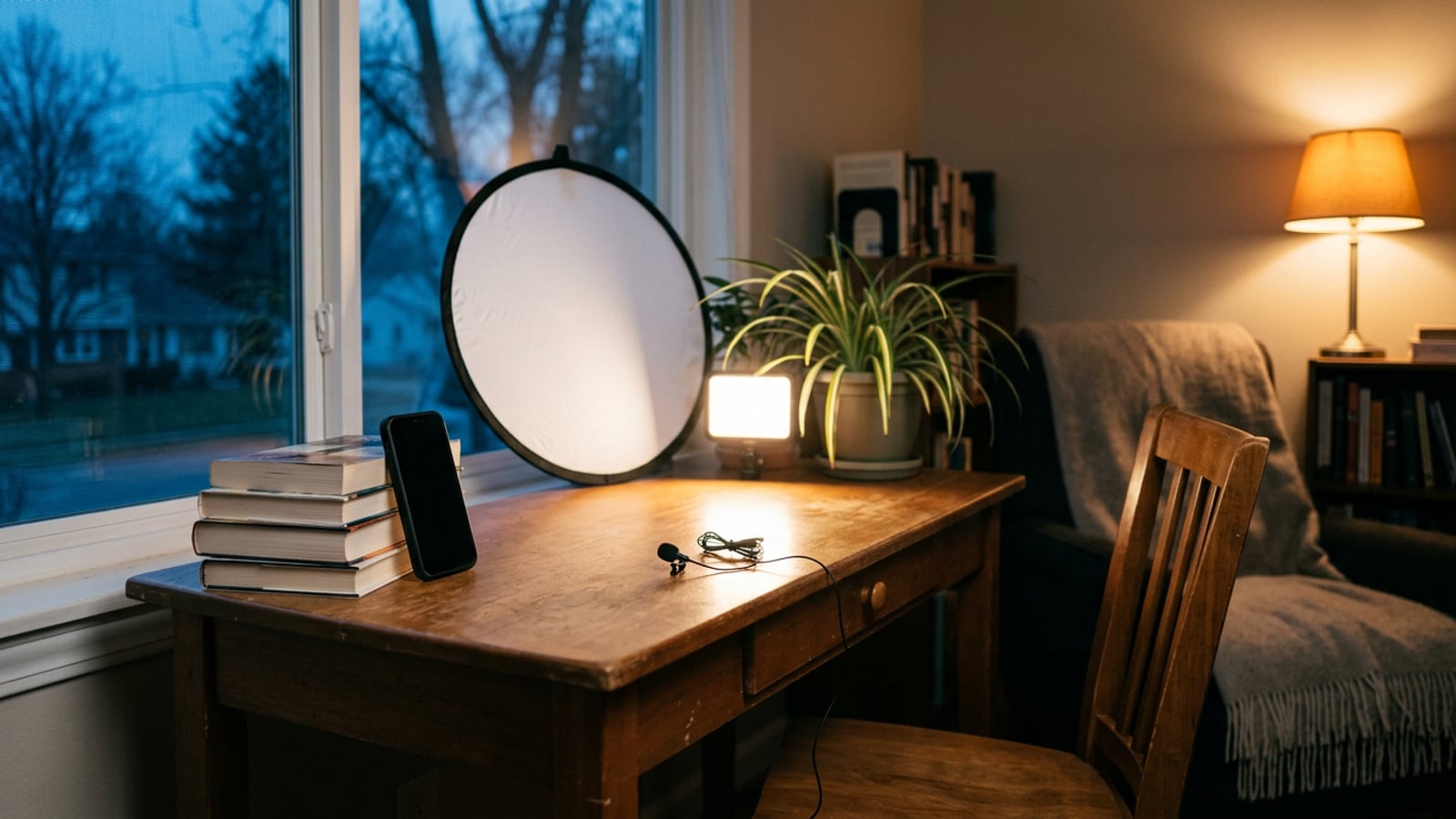
- Turn the desk so the window is beside you, 3 to 6 ft away and a little in front of you rather than square to your side. A window is a big, soft key light. Never sit with it behind you: the camera exposes for the bright window and your face goes dark.
- Switch off the ceiling light. From straight above it lights the top of your head, and its warmer color fights the daylight.
- Bounce the window back into the shadow side of your face with something white, a sheet over a chair back or a piece of white card, about 2 ft from you at face height.
- Put the phone at eye level, on a stack of books, 2 to 3 ft from your face. Press and hold on your face on the screen to lock focus and exposure, so the picture doesn’t drift during a take.
- Get a mic close to your mouth. At 2 to 3 ft the phone hears the room as much as you. Film in the softest room you have, with curtains, a bed or a sofa in it. If there’s a second phone in the house, lay it just out of frame about a foot from your mouth, record your voice on it, and line the two up in the edit with a clap at the start.
What $0 can’t do is evenings, gray days and the echo of a bare room. That is where the first money goes.
Tip: before you spend anything, film one minute this way and watch it back on your phone. Whichever bothers you first, the dark face or the hollow sound, is what your first money fixes.
What $100 buys: light first, then a mic
Light is the cheapest upgrade that shows. Phone and webcam sensors are small, and in a dim room they push their exposure up until the picture turns noisy and soft; a well-lit face fixes that for less than any camera. This is the planner’s $100 kit for the desk by the window:
- A 5-in-1 reflector, to bounce the window into your shadow side. The Westcott Illuminator QuickGrip 5-in-1 (30-inch) is $39.90; unbranded ones cost about $25. Start with the white side.
- A sheer curtain, about $20, to soften direct sun on that window.
- A small battery LED panel, about $40, for gray days. Set it to 5600K so it matches the daylight.
That comes to about $100, or about $85 with the cheaper reflector.
The mic is the next buy, not this one. The cheapest mic on the Kit page, the RØDE Wireless Micro, is $99 on its own, so $100 doesn’t stretch to both. The exception is the one your test video shows you: if you film only by day, the window already lights you well and the sound is what bothers you, buy the mic first and keep the white sheet for fill.
What $300 buys
At $300 the light works after dark, and a mic sits a few inches from your mouth. In order:
- The 5-in-1 reflector, $39.90, for fill by day.
- A desk key light, the Elgato Key Light Air MK.2, $139.99 with its desk mount. It clamps to the desk, so it needs no stand, and at 2 to 3 ft its panel, about 12.5 by 8 inches, is large next to your face, so the light is soft. For evenings and gray days, put it on the window’s side, its center 1 to 2 ft above your eyes. It comes without a power adapter: a USB-C charger of 30W or more that you already own runs it at full brightness, or Elgato’s costs $19.99.
- A clip-on mic, the RØDE Wireless Micro, $99: two clip-on transmitters, a receiver for your phone (in a USB-C or a Lightning version) and a charging case. On your collar the mic is a few inches from your mouth, where it hears you more than the room.
That comes to $278.89, or $298.88 with Elgato’s adapter. If you bought the $100 kit first, its LED panel moves behind you as a back light and its curtain stays up. The planner’s own $300 kit spends everything on light, with a small RGB tube as a back light; here the tube waits for the mic, because by now the picture is no longer the weak part. For how a desk light compares with a softbox or a ring light, see ring light vs softbox vs LED panel.
What $800 buys
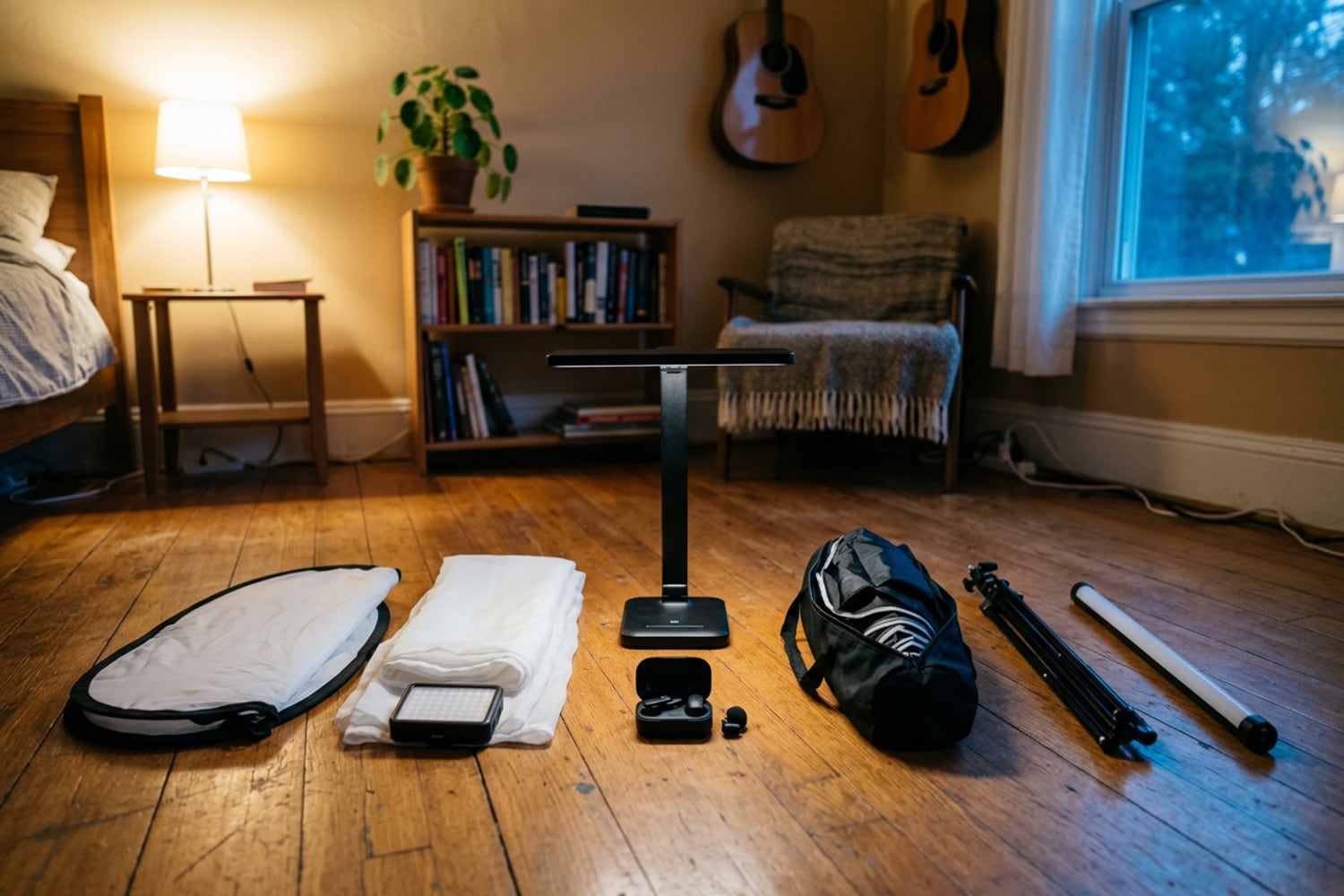
At $800 the light looks the same at any hour: a key in a softbox, a fill and a back light that lifts you off the wall. This is the planner’s $800 kit for the same desk, with the mic added and a bulb for a lamp you own in place of a new lamp. In order:
- A key light in a softbox, on a stand, from $294.88. The NEEWER CB60B, $149.99, is a 70W bi-color COB light with a Bowens mount and no stand in the box. The NEEWER Quick Release Octagonal Softbox is from $59.99 in 18, 26 and 35-inch sizes; the 26-inch suits a desk. The Westcott Air Cushioned Heavy-Duty Light Stand (8 ft), $84.90, holds the light where the window is, 2 to 3 ft from your face, its center 1 to 2 ft above your eyes.
- The reflector, $39.90, and the sheer curtain, about $20, for daytime.
- The Elgato Key Light Air MK.2, $139.99, now the fill on the side away from the key, at about half the key’s brightness.
- The RØDE Wireless Micro, $99.
- An RGB tube light on a stand, about $130, as the back light: behind you on the side away from the key, about 6 ft from the floor, aimed at your hair and shoulder.
- A warm 2700K bulb for a lamp you own, about $10, in the background of the frame.
That comes to about $735, or about $755 with Elgato’s adapter, which leaves room for the softbox’s larger sizes. The camera is still the phone.
Software: what the free tools cover
Most of what a new channel needs costs nothing. All of these are on the Kit page:
| Tool | What it covers | Price |
|---|---|---|
| DaVinci Resolve | Editing, color, audio and effects, to 4K at 60fps | Free; Studio $236 once |
| Kdenlive | Cuts, titles and music, with no account | Free |
| OBS Studio | Recording camera, screen and mic; live streaming | Free |
| Audacity | Voiceovers, cutting and background noise reduction | Free |
| Camo | Your phone as a webcam for a Mac or PC | Free to 720p; paid Pro to 4K |
| Descript | Editing video by editing its transcript | Free for 1 hour a month; from $16/month, billed yearly |
| Final Cut Pro | Apple’s editor for Mac and iPad | $299.99 once or $12.99/month |
Pay when a free tool starts slowing you down, not before. Resolve’s paid Studio version adds 10-bit video, higher frame rates and AI tools; a talking-head video in 1080p needs none of them. For music, YouTube Studio’s Audio Library has royalty-free production music and sound effects to use in your videos; some tracks ask you to credit the artist in the description.
Costs that aren’t gear
- Your time. Planning, filming and editing take far longer than the video runs, and no purchase changes that much.
- Storage. Video files are large. Once your computer’s drive fills, budget for an external drive.
- Taxes. Once the channel earns, that is income. The IRS says you have to file a return if your net earnings from self-employment were $400 or more, and those earnings carry self-employment tax, usually paid as quarterly estimates. Whether an LLC, a separate bank account or deducting your gear makes sense depends on your state and your numbers: ask an accountant or an enrolled agent.
- When it can start paying. The YouTube Partner Program shares ad revenue once a channel has 1,000 subscribers and either 4,000 qualified watch hours in the last 12 months or 10 million qualified Shorts views in the last 90 days. It also asks for 2-Step Verification, a linked AdSense account, no active Community Guidelines strikes and a review of the channel, and meeting the numbers doesn’t guarantee a place. The rules change, so check the page before you plan around them.
More on the money side of making videos is in Creator Business.
What can wait
- A camera. Buy one when the light and the sound are right and the phone’s picture is what still holds you back. Webcam vs phone vs camera goes through when that is. If you already own a camera with a clean HDMI output, the Elgato Cam Link 4K, $99.99, turns it into a webcam.
- A desk mic on an arm. The RØDE PodMic USB ($209) or the Shure MV7+ ($279) on a RØDE PSA1+ boom arm ($139). Dynamic mics hear less of an untreated room, which pays off once you record voiceovers or a podcast at the desk.
- Acoustic panels, a backdrop and a teleprompter. ATS Acoustics panels from $49.95, the Westcott X-Drop Pro backdrop kit at $199.90, the Elgato Prompter at $299.99: each fixes a problem you may not have yet. Setting up a small-room studio goes through the spot, the sound and the background in the order they matter.
- Paid software and a company. The free tools and your own name will carry the first videos.
Whatever the budget, the Light Planner draws where each piece goes in your own room.
Questions
Can you start a YouTube channel for free?
Yes. Creating a channel costs nothing, and the phone you own, a window beside you, something white for fill and free software such as DaVinci Resolve make a watchable first video. What money buys is consistency: light for evenings and gray days, and a mic close to your mouth.
What should I buy first for a YouTube channel?
Something that improves the light on your face, because it is the cheapest upgrade that shows. A 5-in-1 reflector, $39.90 for the Westcott on our Kit page or about $25 unbranded, bounces a window back into the shadow side of your face. If the window already lights you well and your test video sounds hollow, a clip-on mic comes first instead.
Is a better camera worth it before better lights?
Not for most people filming at home. Phone and webcam sensors are small, and in a dim room they push their exposure up until the picture turns noisy and soft, so a soft key light changes the picture more than a new camera would. Buy the camera once the light and the sound are right and the camera is what still holds you back.
Do I need an LLC to start a YouTube channel?
No. You can start, and earn, as an individual; in the US, someone working for themselves without forming a company is a sole proprietor. Whether an LLC is worth its fees depends on your state and your income, so ask an accountant or an enrolled agent before you form one.
Sources
- Create a YouTube channel, YouTube Help
- YouTube Partner Program overview & eligibility, YouTube Help
- Use music and sound effects from the Audio Library, YouTube Help
- Self-employed individuals tax center, Internal Revenue Service