Video SEO Explained: How to Get Your Videos Found
Video SEO helps searchers find your videos on Google and YouTube. Choose keywords, host and embed videos, optimize pages, and track what works.


Chapters
In short
Video SEO is the practice of making videos easier for Google and YouTube to find, understand, and recommend to people searching for them. It combines relevant search terms and clear titles with useful descriptions, captions, thumbnails, fast mobile-friendly pages, and appropriate hosting, then uses promotion and performance tracking to improve results over time. In practice, strong video SEO helps the right viewers discover your content and gives them a clear reason to watch or take action.
Picture two videos on the same topic. One gets a handful of views while the other gets found every day, and the difference often isn’t the camera. It’s whether people can find it when they search.
That’s the job of video SEO (search engine optimization for video): helping Google and YouTube find, understand, and recommend your work.
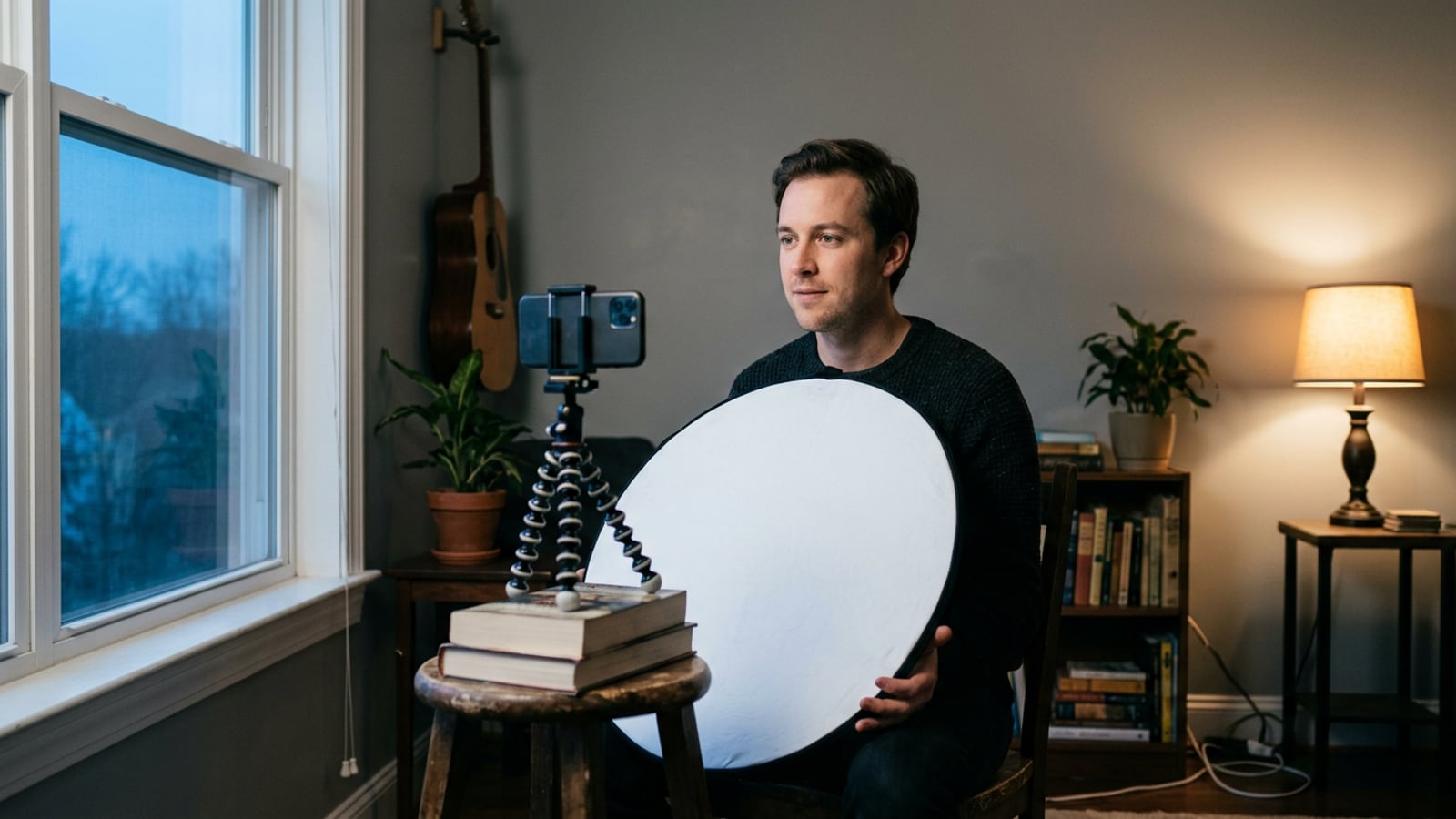
In this post, we’ll walk through keywords, hosting, on-page tweaks, technical setup, and tracking, then show how a home setup supports it all, starting with the light and thumbnail.
Video SEO Basics and the Search Landscape
Before you tune titles, here’s how search engine optimization (SEO) applies to video.
Do videos actually improve SEO?
Yes, with a caveat. Google’s Search Central documentation says adding video to a page can improve its SEO visibility and make it eligible for video search features, but it doesn’t guarantee a higher ranking.
- Optimizing videos to rank: Clear titles and descriptions help search engines match your video to what people type.
- Discoverability across search engines: One upload can surface through several routes.
- Video plus SEO synergy: A written page gives search engines text, while the video gives visitors a reason to stay.
- Engagement and conversion benefits: Track actions like watch time, clicks, and sales, not just views.
Where your videos show up in search
- Google main results: Videos can appear among the standard links on the results page.
- Video tab and Images: Google’s Video tab and Images results can both show video.
- Google Discover: Its feed of suggested content can surface videos too.
- YouTube as second-largest search engine: YouTube is often called the second-largest search engine after Google.
How AI search treats video content
Artificial intelligence (AI) search, including Google’s AI Overviews and AI Mode, pulls written answers from several sources. The same fundamentals still apply: a clear topic and a helpful video.
A transcript, the written text of your video, gives answer engines (AI tools that build replies) something to read. Aim to be the cited source by answering one question clearly on your page.
Avoid low-effort AI video: generic, mass-produced clips add little, while a real demo stands out.
Ways to put video to work
- Product demos and tips: They’re uses of video marketing, and a research study on product presentation videos describes product usage videos as showing how a product works. Picture a solo jewelry maker filming her clasp under a desk lamp. The hesitant shopper sees it hold and buys.
- Behind-the-scenes content: Show your setup and process so people feel they know who’s behind the work.
- Event and launch teasers: A short preview gives people a reason to watch for the launch.
- Non-brand content marketing: Teach something useful without pitching, so viewers come to you for the lesson.
- Repurpose existing content: Cut a long webinar or podcast into short clips, each answering one question.
One recording, five jobs.
How to Pick Keywords People Search For
Your title only helps if it matches what viewers actually type, so start by finding those words.
Where to find new keyword ideas
Start with seed keywords, your broad core topics like “podcast lighting,” then check what the platforms suggest:
- YouTube autocomplete: what YouTube suggests as you type.
- Google autocomplete and People Also Ask (PAA): Google’s suggestions and the question boxes in its results.
- Keyword research tools: related terms and search data for your seeds.
- Conversational question phrasing: turn ideas into full questions, like “how do I light my face without a studio?”
Say a streamer types “streaming lights” and YouTube suggests “streaming lights for a small bedroom.” That’s a sharper target because it’s what viewers are actually typing. Match how people search, not what sounds impressive to you.
Paid and free tools to compare
You don’t need every tool, just a couple to compare:
- Semrush and Ahrefs: paid, with deep keyword data.
- Google Keyword Planner: free and built into Google Ads.
- LowFruits, LSIGraph, and Keyword.io: more finders to check against your list.
- vidIQ and TubeBuddy: free tools that work inside YouTube.
Where several tools agree on a term, you’ve likely found real demand.
Balancing long-tail terms and competition
Broad terms draw heavy competition. Long-tail keywords, longer and more specific phrases, face less of it and reach people closer to what you offer.
A real estate agent targeting “lighting for apartment listing videos” competes for a narrower crowd that’s looking for exactly that.
Aim for a term with modest search volume and light competition. Pick three to five keywords per video. Fewer, sharper terms beat a long wish list.
If your work is local, add your city. Then set negative keywords, terms you deliberately leave out (like “free” if you sell a paid course), so you don’t attract the wrong crowd.

Where to Host and Embed Your Videos
Where your video lives decides who finds it and how much control you keep.
Hosting videos directly on YouTube
YouTube offers built-in reach and discovery. Its reporting tools show how each upload performs, and you can embed the video on your own site so the player sits on your page.
The catch is the loss of control: when the video ends, viewers drift to related videos, sometimes from your competitors.
Professional hosts like Vimeo and Wistia
Hosts like Vimeo, Wistia, and SproutVideo give you more control over display and data. Take a real estate agent who embeds each listing tour on her property page. Buyers stay on her site, and she picks how the player looks.
These hosts also include search engine optimization (SEO) tools, but you’ll handle the setup yourself: the structured data (a label that tells search engines what the video shows) and a sitemap (a file listing your pages for search engines).
You get the control. You also get the chores.
Hosting the video files on your site
Self-hosting puts the video on your own server, which brings real headaches:
- Bandwidth and server demands: Each play draws on your bandwidth (the data your server sends out), so a popular clip can strain a basic hosting plan.
- Optimized files for web: Compress the video so it plays smoothly on phones and home Wi-Fi.
- Load-time challenges: A heavy file slows the page, and visitors who wait too long leave before pressing play.
- Built into site structure: The video sits in your page layout beside your text, so search engines read it as part of that page.
You own the file, but you also own the speed.
Competing with big platforms for rankings
Big platforms carry a lot of authority (the trust search engines give large, established sites), so a YouTube page can outrank yours for the same search. Instead, split the work by funnel stage (the path from a first look to a decision):
- Top of the funnel: Post broad, discovery-friendly videos on YouTube, where new viewers already browse.
- Middle and bottom: Host persuasive videos like case studies and walkthroughs on a professional host or your own page, where you control the experience and data.
It’s less about one home for every video and more about the right home for each stage.
Optimizing the Page Around Your Video
A great video can still get buried by a vague page. The title, description, thumbnail, captions, and social preview each tell viewers and search engines what to expect.
Writing titles people want to click
Put your primary keyword near the front, and keep the full title under 60-70 characters so it isn’t cut off.
Make it informative, not clickbait: ‘How to Light a Home Office for Video Calls’ tells people what they’ll get, while ‘You Won’t Believe This Trick’ makes a promise the video may not keep.
Write for what viewers search for rather than what you call the project, using the phrasing people would actually type, then say that same phrase out loud early in the script.
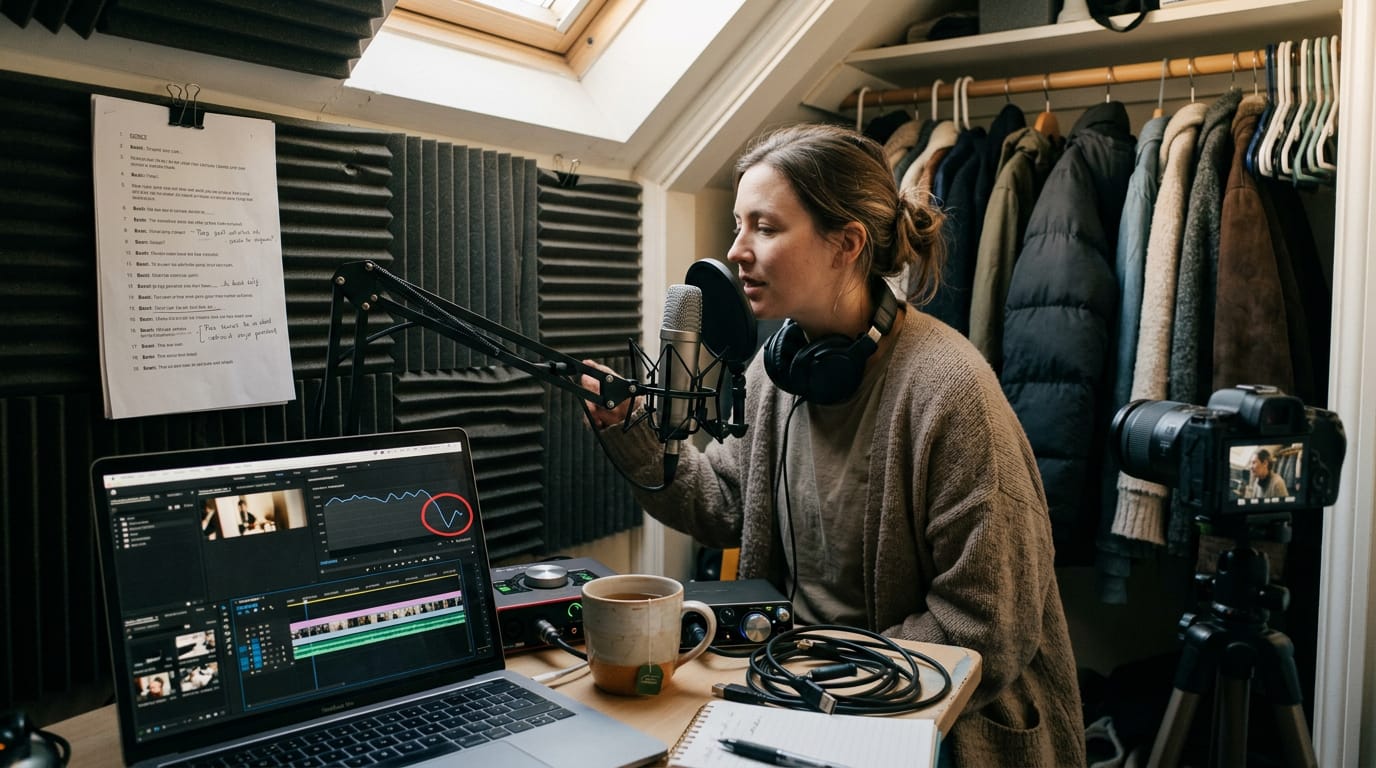
A podcast host filming in a converted closet first titled her video ‘Closet Studio Ep. 4’. Retitled ‘How to Light a Small Closet for Podcast Video,’ it now matches what people in her exact spot are searching for.
Filling in descriptions and meta tags
Write a detailed, keyword-rich description and put your keyword in the first sentence, since that’s what shows before viewers expand the rest.
Add timestamps so people can jump to the part they came for, plus a clear call to action, like pointing them to a related video.
Your meta description is the short summary that appears under the page title in search results, so keep it to a sentence or two. Avoid keyword stuffing: one natural mention beats five forced ones.
Picking tags and the right category
Tags are short phrases that describe what your video covers. Mix broad and specific ones, aiming for about 10-12 in total:
- Broad: home studio lighting
- Specific: softbox placement for a bedroom desk
Then choose the category that fits the video, not the one that sounds most impressive.
Designing thumbnails that get more clicks
Your thumbnail is often the first thing a viewer sees, so make it a custom, high-contrast image with two or three words of text at most, sized 1280x720 pixels.
A human face draws the eye, but only when it’s well lit, because a face lost in shadow turns into a dark blob at small sizes.
Thumbnails can influence click-through rate, the share of viewers who click after seeing a video, though YouTube’s own help page on click-through rate notes that differences can also come from traffic sources rather than the title or thumbnail.
Design for readable at phone size, not impressive at full size.
A course creator filming in a basement corner had her face lost in shadow. She moved one panel beside it, cut the text to three words, and now her expression reads clearly on a phone.
Why transcripts and captions matter
A transcript is the full text of what’s said, and captions are that text timed to appear on screen. Search engines can’t watch your video the way people do, but they can read text they can crawl, meaning scan and index, so write that text out.
Captions also help viewers who are deaf or hard of hearing, plus anyone watching with the sound off. Automated captions are a rough first draft, so clean them up: a real estate agent might get ‘court’s countertops’ where she said ‘quartz countertops’.
Clean audio improves caption accuracy, so a decent mic and a quiet room pay off twice. Add summary text on the page under the video so your key points are readable before anyone presses play.

Setting Open Graph tags for social shares
Open Graph tags are short snippets placed in a page’s HTML header, the markup that builds the page. They control the title, image, and description shown when someone shares your link.
A portrait photographer can point the preview image at her best thumbnail, so the link in a group chat looks as polished as the video.
Technical Setup for Video SEO
Even a great video can get lost if search engines can’t read the page around it.
Adding VideoObject schema for rich results
Schema is extra code that describes your content to search engines. A VideoObject schema does that for video, spelling out its name, description, thumbnail, and upload date.
Complete those fields and your video can qualify for rich results, the enhanced listings with extra details in search. Key moments let searchers jump to a specific part of your video.
On WordPress, a schema plugin adds the markup for you. Picture a podcaster in a converted closet: she fills in her title, description, and a thumbnail shot under her key light, and the plugin does the rest.
Submitting a video sitemap to Search Console
A video sitemap is an XML (Extensible Markup Language) file listing every video on your site and where it lives. Submit it to Search Console, Google’s tool for tracking how your site appears in search, and new videos can get indexed faster.
Many WordPress plugins and video hosts generate it automatically, so check your dashboard first.
Putting the video front and center
Make the video the main content of the page, not a sidebar extra. Place it near the top, where visitors see it first, never hidden further down. Give each page one main video, since competing players blur the page’s focus.
For your best work, build a dedicated page with the video up top and a short summary below. Consider a home-based fitness coach whose beginner workout gets its own page, giving her one link to share every time she promotes it.
Keeping pages fast and mobile friendly
Google uses page loading speed as a ranking signal, and its page experience guidance notes that “Core Web Vitals are used by our ranking systems.” Speed is easy to overlook. These habits keep your pages quick, especially on phones:
- Responsive embeds. A responsive embed resizes to fit any screen, so the page works on a laptop and a phone alike.
- Lazy loading. The video waits to load until a visitor scrolls near it, so the rest of the page appears sooner.
- Avoid aggressive pop-ups. Skip any that cover the video the moment the page loads.
- Autoplay cautions. Autoplay on a phone can startle visitors and eat into their data, so keep it off on mobile.
- Compress built-in videos. If you host video files yourself, compress them before upload so they load faster.
Getting the code and frame size right
Build the embed with HTML5, the current version of the language web pages are built in, so it plays across modern browsers and phones. Put the video code in the footer so the player doesn’t hold up the content above it.
Set a clear frame size of 640x360, a 16:9 widescreen shape that fits most layouts cleanly.
Ranking Your Videos on YouTube
Viewers find your videos through YouTube search or suggested videos, but what happens after the click matters just as much.
What drives YouTube rankings
Four signals matter most:
- Watch time. Total minutes people spend with your video. It’s less about how many people click and more about how long they stay.
- Audience retention. How much of your video people actually watch.
- Click-through rate (CTR). The share of viewers who click after seeing your thumbnail and title. A clear, evenly lit face helps your thumbnail stand out, so the light matters here too.
- Engagement signals. Likes, comments, and shares that show viewers care.
Ways to keep viewers watching longer
Keeping viewers past the opening takes a few habits.
- Strong 15-second hook. Picture a podcaster filming in a converted closet who opens on the episode’s sharpest moment instead of small talk. The viewer who was about to leave hears the rest.
- Pattern interrupts. Every so often, change something, like a second angle, a graphic, or a shift in the light, so attention doesn’t drift.
- Scripting videos. A loose script with the key beats in order keeps the energy from sagging.
- Analyze drop-off points. Check where viewers leave in your analytics, then tighten that spot or cut it.
Chapters let viewers jump to the part they came for. Shorts can also show up in search, giving you another way to get found.
Getting viewers to like, comment and share
Encourage likes, comments, and shares by asking once, at a natural moment. Give people something specific to answer, like ‘Which light would you try first?’
- Reply to comments. It tells viewers someone is listening and brings them back.
- Contests and questions. A simple contest or a direct question gives people a reason to comment and share.
Promoting Videos and Earning Links
A finished video needs viewers and sites that link to it. Here’s how to earn both without it feeling like spam.
Sharing videos on social platforms and groups
Tailor each post to its platform. A podcaster might pose “Is your closet too dark for a talking-head shot?” in a forum and post a 15-second clip on a short-form feed. The goal is relevance rather than volume.
Always link back to the watch page, and share in groups where members actually want the topic. Make sharing easy with:
- Share buttons on the watch page
- A caption people can paste as-is
- A clickable link in the description
Promoting videos through your email list
Announce each video in your newsletter with a link to watch. Newsletters promoting videos can be segmented (split into groups by interest).
According to a paper on segmentation in e-mail marketing, a regular e-newsletter can carry different content for different publics and segments. A coach with podcasters and office workers on her list can send each group the video that fits their room.
Send it on launch day to build an initial view surge (a burst of watches right after publishing).
Working with influencers to expand reach
Collaborations expand reach because you borrow an audience that already trusts someone. Think of a wedding videographer and a portrait photographer filming a joint lighting tutorial, each introducing their work to the other’s followers.
Start with genuine relationships: comment thoughtfully, share their work, and pitch a specific idea. Then keep things fair with reciprocal content sharing, like featuring each other’s videos in your roundups.
Earning backlinks and linking internally
Backlinks are links from other sites to yours, and they count in Google Search rankings. According to Search Engine Land’s guide to link equity, link equity, sometimes called “link juice,” is a confirmed ranking factor.
Write guest posts or answer questions on Q&A sites when your video truly helps the reader. Offer your video as an embed on a resource page, too. Then use internal linking (connecting your own videos and posts) so viewers keep exploring.
Repurposing content across your other channels
Repurposing gets more from work you’ve already done:
- Summarize blog posts in video. Turn a post into a short video, then link it back to the post.
- Embed in related posts. Place the video in the matching post so readers can watch without leaving.
- Use in-video cards. These are small clickable prompts that point viewers to a related post mid-video.
A home-office coach might film a window-light blog post as a short video, embed it back in the post, and add a card at the desk lamp segment. One shoot, three places to be found.
Tracking Results and Keeping Videos Fresh
Publishing is only half the job. Here’s how to read the numbers and keep older videos earning.
Which numbers show your videos are working
Views count plays. Watch time and retention (how much viewers stay through) show whether they stuck around.
A home cook’s sourdough tutorial loses most viewers in 30 seconds. Her dim light may be the cause, so reshoot the intro.
A KPI (key performance indicator) changes as viewers move toward action:
- Reach: views and impressions.
- Engagement: watch time and retention.
- Action: subscribes or bookings.
Bounce rate (visitors who leave without clicking further) and exit rate (visitors whose last page it was) can flag a video that isn’t delivering. Read them with watch time, not instead of it.
A conversion is any action you want, like a booking. A real estate agent filming tours cares about showing requests, not views.
Where to check video performance
- YouTube Analytics: watch time, retention, and traffic sources.
- Google Analytics: visits to pages with embedded videos.
- Search Console landing pages: pages that earn clicks from Google search.
- AI search reporting: traffic from artificial intelligence (AI) answers, if your tools show it.
Refreshing and testing videos over time
Refreshing means updating descriptions, chapters, or dated thumbnails. A podcaster’s older episode names a mic she no longer sells. A new description keeps viewers current.
Test titles and thumbnails by changing one thing at a time. Then compare click-through rate (share of viewers who clicked after seeing it).
Search habits and ranking systems keep shifting, so follow trusted sources and watch for dips.
Check backlinks (links from other sites) and outbound links (links to others) every few months, replacing dead ones.
Consistency is key. A short monthly check beats one big yearly overhaul. Small habits win.
Video SEO comes down to three habits: choosing search terms people use, making pages and files easy to read, and checking results over time. None of it requires a studio. A clean, even light and a clear thumbnail give every video a fair shot.
Start with one upload this week and pay attention to how people find it. Each video teaches you something, and your library gets stronger with every release. Good light gets you watched, and good search gets you found.
References
- Effect of Product Presentation Videos on Consumers’ Purchase Intention: The Role of Perceived Diagnosticity, Mental Imagery, and Product Rating — pmc.ncbi.nlm.nih.gov (2022)
- The Role of Segmentation in E-Mail Marketing — hrcak.srce.hr (2017)
- Understanding page experience in Google Search results — developers.google.com (2026)
- What Is Link Equity? How It Works & Why It Matters for SEO — searchengineland.com (2025)
- Impressions & click-through-rate FAQs — support.google.com
- Video (VideoObject, Clip, BroadcastEvent) Schema Markup | Google Search Central | Documentation — developers.google.com
Questions
Do videos improve SEO?
Yes. Adding a video to a page can improve its visibility in search and make it eligible for video search features, but it does not guarantee higher rankings. Clear titles, descriptions, transcripts, and a well-optimized page help search engines understand and surface the video.
Sources
- Effect of Product Presentation Videos on Consumers' Purchase Intention: The Role of Perceived Diagnosticity, Mental Imagery, and Product Rating, pmc.ncbi.nlm.nih.gov,
- Impressions & click-through-rate FAQs - YouTube Help, support.google.com
- Understanding page experience in Google Search results, developers.google.com,
- What Is Link Equity? How It Works & Why It Matters for SEO, searchengineland.com,
- The Role of Segmentation in E-Mail Marketing, hrcak.srce.hr,
- Video (VideoObject, Clip, BroadcastEvent) Schema Markup | Google Search Central | Documentation | Google for Developers, developers.google.com